
Most church directories are older than anyone likes to admit. There is usually a spreadsheet that began with the founding families and has passed through three administrators since, each one adding a column. Or there is a printed photo booklet from a few years back that still lists the Hendersons at the house they sold. Both were accurate the week they were made. Then people moved, changed numbers, got married, and had children, and the directory quietly stopped being true.
So before picking a tool, decide what a powerful directory has to do. Our list is short. Every person has exactly one record, however many old lists they appear on. Families are linked, so opening a parent shows the spouse and the kids. Anyone on your team can find a person in seconds by name, email, or phone. Birthdays are there to be noticed. New people can add themselves without waiting on the office. And the whole thing keeps working when your church grows into check-in, groups, or giving, without moving the data a second time.
A spreadsheet can manage a couple of those on a good day. People, the directory at the center of Cendance, handles all of it, and it is free. The Free plan includes People with no limit on the number of people or households, one campus, three team members who can sign in, and 2 GB for files. You pay only when you add another product.
Here is how to set it up.
Start with the list you already have. On the People page, choose Import and bring in a CSV, an Excel file, or a Google Sheet. You preview the rows, match your columns to fields like name, email, phone, address, birthday, campus, and membership level, and review everything before it runs. A column that fits no standard field can become a custom property instead of being thrown away. If you import more than once, you decide whether the import creates new people and updates existing ones, only creates, or only updates, and existing people are recognized by the ID from your old system, by email, or by phone, so a second import does not double your congregation. The review step also flags email addresses that look misspelled, which is how "gmial.com" gets caught before it ever bounces.
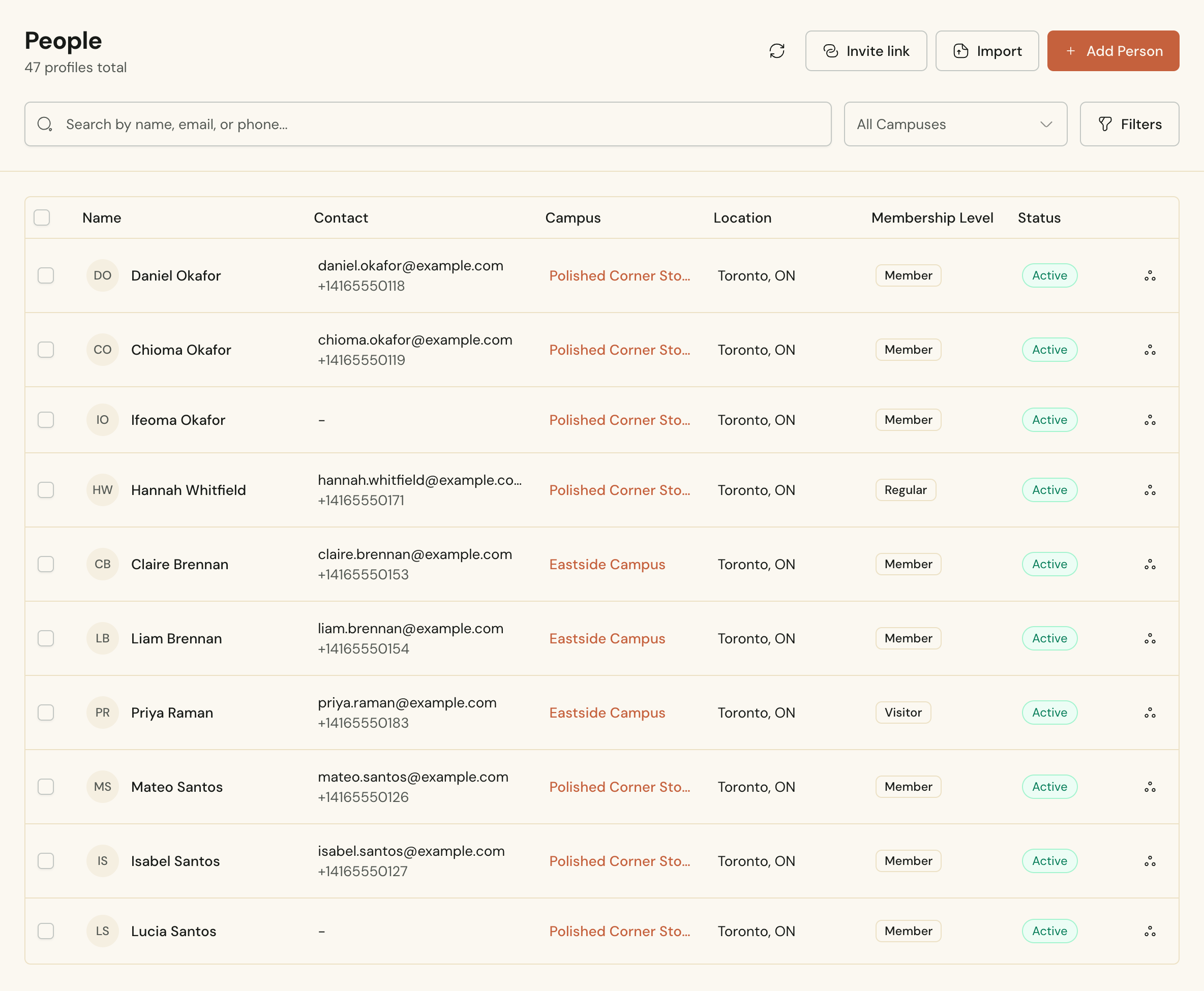 The People list in Cendance, with each person's contact details, campus, city, and membership level.
Then clean up the duplicates every old list carries. The Duplicates page groups profiles that look like the same person, matched by phone number, by name and date of birth, or by name alone. You review each group, decide which details win where the profiles disagree, and merge them, so the Grace Adeyemi from the membership roll and the Grace Adeyemi from a picnic sign-up sheet end up as one record with everything attached.
Next, turn names into families. The import brings people in one at a time, and households are the step where the directory starts to look like your church. From a person's Family & Household tab, create a household or link an existing one, give each person their place in it, such as head of household, spouse, child, or grandparent, and mark the primary contact. The address lives on the household, so when a family moves you change it once.
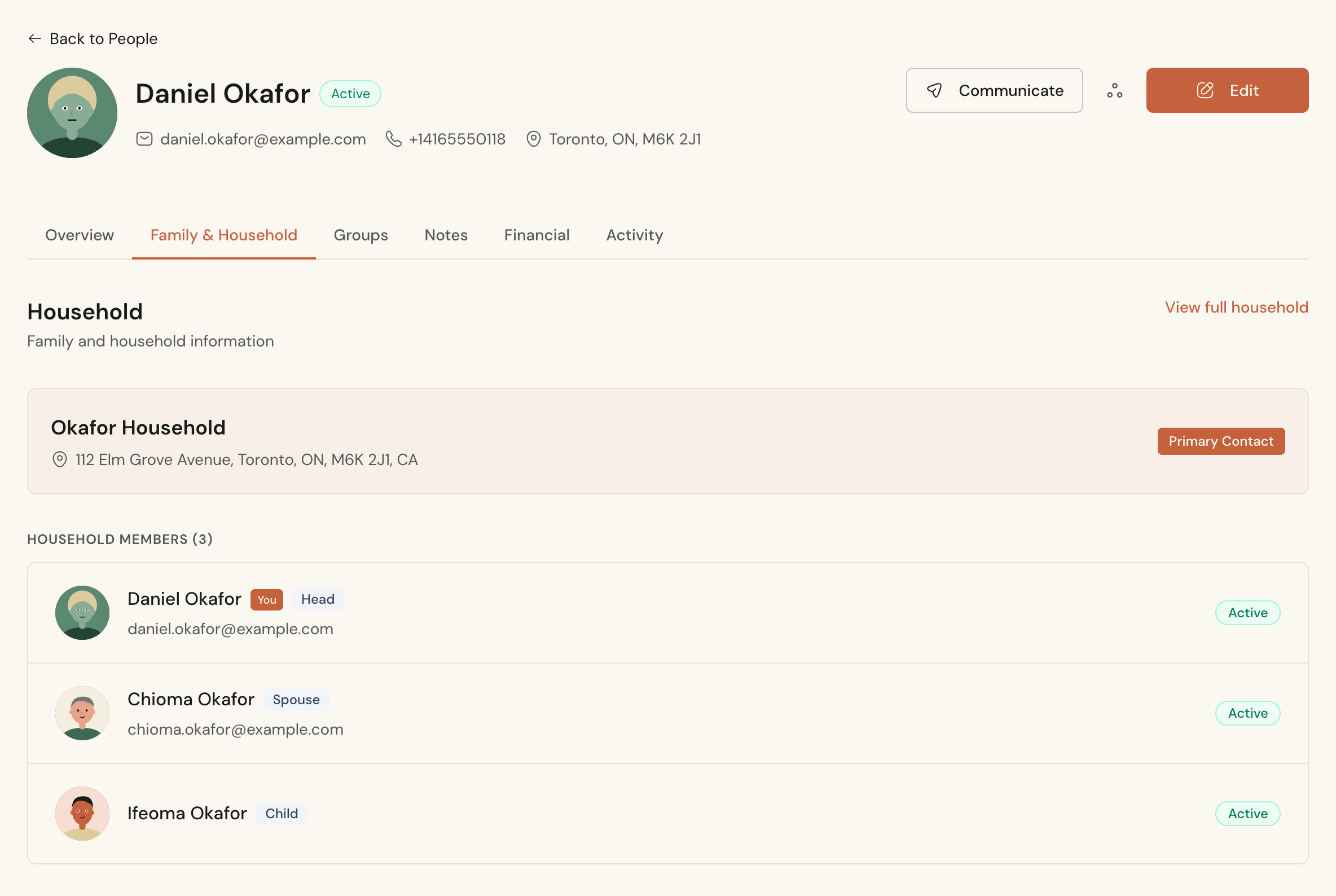 The Okafor household in Cendance, with one shared address, each person's place in the family, and the primary contact marked.
Now add the details that make a directory feel personal. A birthday can be saved as a day and month only, for the many adults who would rather keep the year to themselves, and the Celebrations page shows every birthday in the month, with a monthly collage you can download and put on the screen before service. Tags mark whatever your church wants to keep track of. The Notes tab on each person holds what a pastor needs to remember, and it sits behind its own permission, so not everyone on the team can read it.
Then let people add themselves. Create a People invite link from the People page and share it in the bulletin, in a group chat, or on a slide during announcements. It opens a short Join page with your church's name, where someone enters their name, an email or phone number, sex, campus, and date of birth, and can add their marital status. When the email or phone matches someone already in the directory, the submission only fills in fields that were blank on that record, so nobody can overwrite another person's details by typing in their email. The link adds people to the directory and does nothing else. It never gives anyone access to your dashboard, and a verification check keeps bots out. The invite link window shows how many people have used it, and you can switch the link off at any time. Creating it again issues a new one, so the old link stops working.
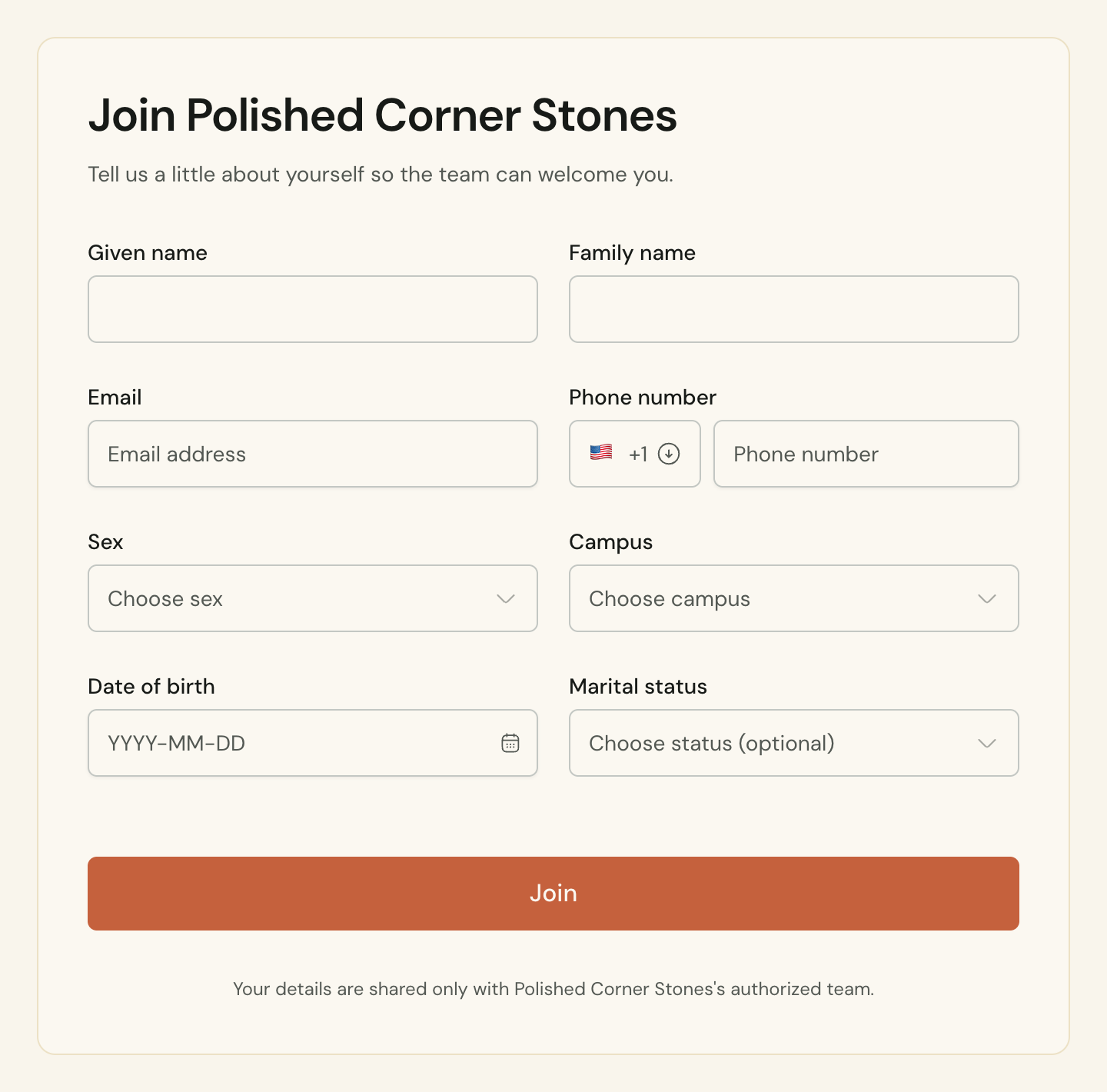 The Join page a People invite link opens, where newcomers add their own details to your church directory.
Finding people is where a good directory earns its keep. Search covers names, email addresses, and phone numbers, so the voicemail that starts "Hi, it's Mrs. Okafor" takes seconds to place. Filters narrow the list by campus, status, marital status, or membership level. For anything more specific, build a segment, a saved set of rules with a live count. Members at the Eastside campus whose phone number is empty is a perfectly good segment, and it doubles as a to-do list for whoever is tidying the records this month.
One decision deserves to be made on purpose, and that is who the directory is for. Cendance treats it as the record your team works from, and members do not browse each other's details. We think that is the right default. A booklet with every family's address and phone number cannot be recalled once it is printed, it travels further than anyone intended, and it lists children next to their home addresses. The Join page tells people their details are shared only with your church's authorized team, and on the Free plan that team is the three people you choose.
Everything after this builds on the same records. When you are ready for Sunday check-in, small groups, online giving, or email, those products read from and write to the people already in your directory, and there is nothing to migrate.
You will find the directory, Duplicates, Households, and the invite link under People in your Cendance dashboard. Bring in the spreadsheet this week and put the invite link in Sunday's bulletin, and the people who were missing from the old list will start adding themselves.


