



It's a Tuesday night, and the women's retreat email needs to go out before you go to bed. You have the details ready. The problem is the list. Who actually gets this one? The last time you sent to the whole database, three men replied asking whether they were somehow invited, and one teenager unsubscribed. So you open the spreadsheet you exported an hour ago, and you start squinting at columns.
You filter by campus. You filter by status. You try to remember which tag you used for the women's ministry, and whether it was "Women" or "Women's Fellowship" or the one you made in a hurry last spring. Somewhere around the fourth filter the columns blur together, and you do the thing you swore you would stop doing. You select everyone and hit send. The youth group gets the retreat details. Again.
Here is the quiet cost of that Tuesday. Every message that lands in the wrong inbox teaches someone to skip the next one. The people you most want to reach are the ones who learn fastest to look away.
A segment answers the "who exactly should get this?" question once, so you can stop answering it every single week. It is a saved audience, built from the facts you already keep about your people. You describe who belongs, you save it, and it waits for you.
Building one starts under Communications, in Segments. You begin a new one and describe the audience in the language you already use. Status. Membership. Tags. Home campus. City, country, birthday, marital status, and any custom field you keep of your own. The builder tucks these under plain headings and hands you a search box, so the field you want is only a couple of keystrokes away.
Then you stack the rules. Every group of conditions carries a small toggle: All means a person has to match every line, Any means one is enough. Groups nest inside each other, so "members at the North campus tagged Choir or Worship Team" is a handful of clicks. Add a condition, add a whole new group, and keep going until the shape of the audience matches the people in your head.
The good part is that you are never guessing. As you build, a live count keeps up with you, and a few real names from your list appear beside it. You get to check your rules against faces you actually know before a single email goes anywhere. If the count settles at zero, you have caught the trouble while it is still just a screen, and you loosen a rule until the right people come back into view.
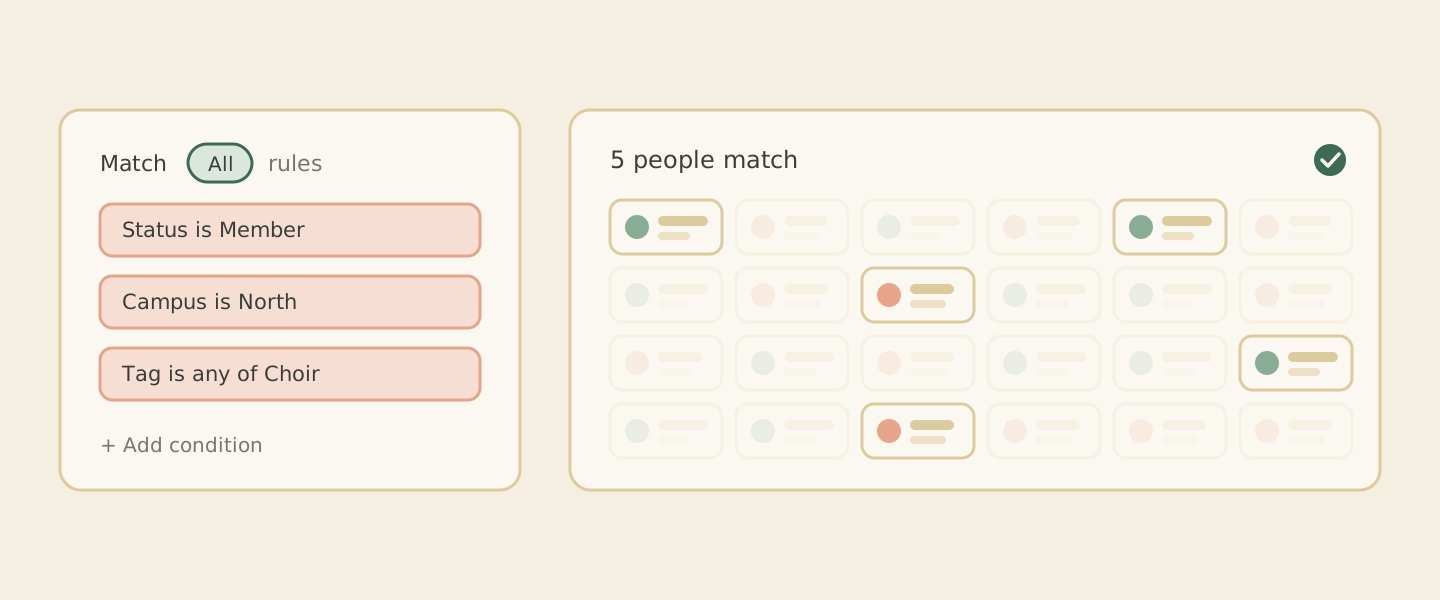 Each rule you add narrows the crowd until the live count settles on the people who match.
Once it looks right, you save it, and that is where the Tuesday nights start to ease. Your saved segments sit together in one list, waiting. The next time you send an email campaign, you pick one as the audience and go. "First-time visitors" becomes a question you answer once. The same segment is ready for the next send, and the one after that, long after you have forgotten how you built it.
And because your people are yours, the fields are too. Add one for anything you track. Or let Cendance look at the information you already keep and suggest properties it notices, so you can wave them in without typing them twice. You decide which fields show up in the builder, and the list stays tidy and yours.
None of this makes the women's retreat more exciting. It just means the women hear about it, the youth group hears about the youth thing, and the person who joined last Sunday gets the note meant for people who joined last Sunday.
You'll find Segments under Communications in your Cendance dashboard. Build the retreat list once, send it to exactly the right people, and give yourself back the rest of your Tuesday night.


