
A course usually gets its best attention in the week it launches. Announcements go out, the first cohort enrolls, and the completion numbers climb. Then the season changes, the next cohort is smaller, and nobody is quite sure whether the training is still working. Two features in Cendance are built for that second stretch: leaderboards, which show who is moving, and ratings, which show what learners think of the material.
Start with the leaderboards. Under Learning, the leaderboards page ranks learners by courses completed, lessons completed, or their score on a specific course, for the current month or all time, across the whole organization or a single campus. Rankings refresh about every six hours, so what you see on Monday morning reflects the weekend. Instructors get their own boards too: courses and lessons published, learners who finished their courses, and the ratings those learners gave them.
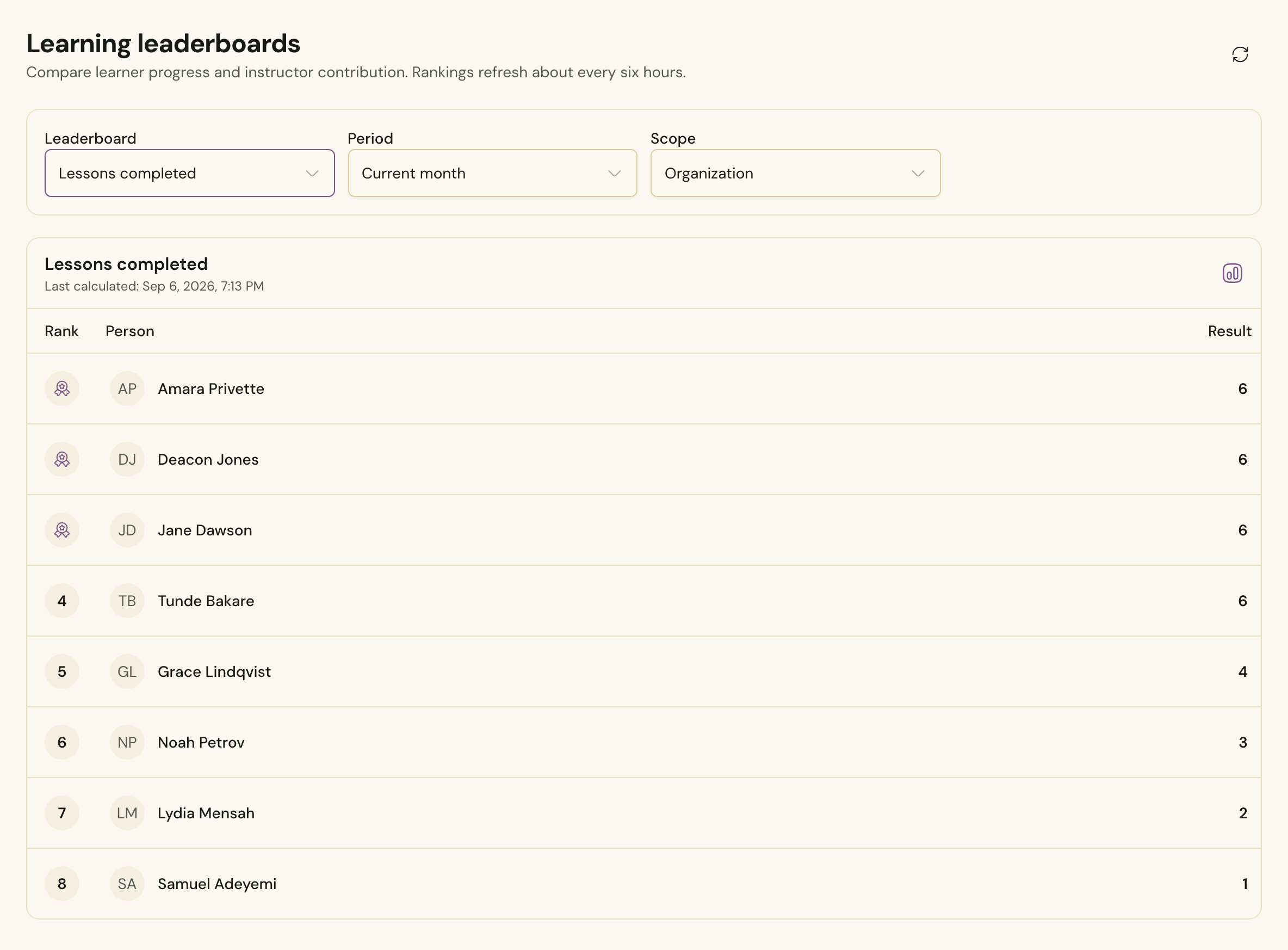 The learning leaderboards in Cendance, ranking learners by lessons completed for the current month.
Use them the way a good coach uses a scoreboard, which is to notice rather than to pressure. A lessons-completed board that has not changed in two weeks tells you a cohort has stalled, usually at the same lesson, and that a nudge from a team lead will do more than another email. The top of the board is worth celebrating out loud. A name read from the platform on Sunday, or a line in the newsletter, costs nothing and tends to pull the middle of the board along. Learners stay in control of how they appear: in Eden, each person chooses whether the leaderboard shows their full name, an abbreviated version, or nothing at all.
Ratings answer a different question: is the course any good? After completing a lesson, a learner can rate it from one to five stars and leave a short review. Once they finish a course, they can rate the instructor as well. The course's Ratings and reviews tab gathers all of it: an overall course rating averaged from its lessons, a breakdown by lesson, and a breakdown by instructor.
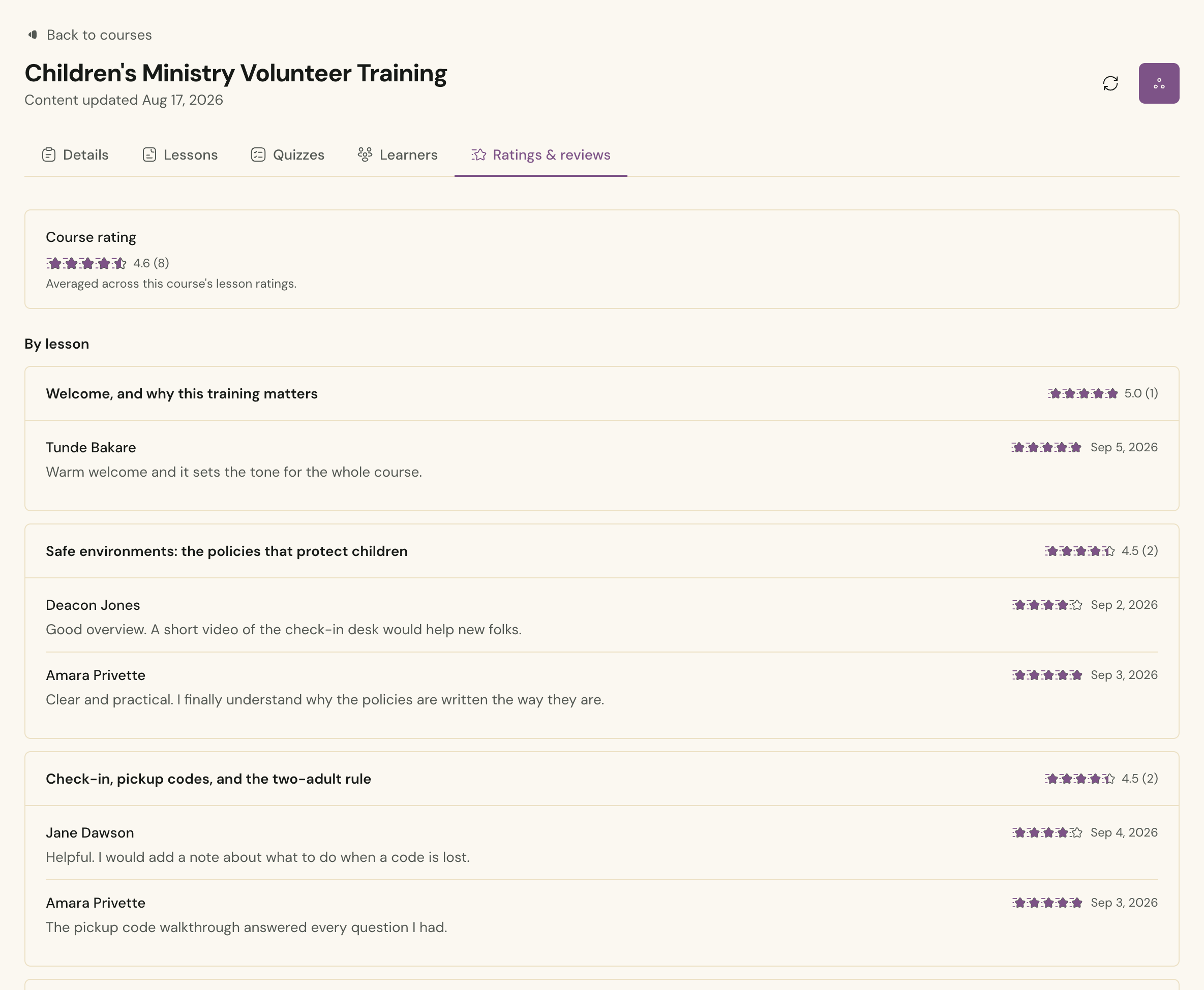 A course's ratings and reviews in Cendance: the overall rating, then each lesson's average with the reviews learners left.
The lesson breakdown is where the real value sits. A course that averages 4.6 can still have one lesson stuck at 3.5, and the reviews will usually tell you why: the video ran long, the policy was unclear, the quiz asked about something the lesson never covered. Fix that lesson, and the next cohort rates it higher. Over a year, this turns a course you wrote once into a course that keeps improving without anyone rebuilding it from scratch.
A simple rhythm works well. Once a month, open the leaderboards, note who has stalled, and hand those names to a team lead. Once a quarter, read the reviews for every lesson under four stars and fix the weakest one. That is an hour a month, and it is the difference between training that fades and training that lasts.
If you are starting from scratch, our earlier guide walks through building the course, generating the quiz, and issuing certificates.
You will find leaderboards and each course's ratings under Learning in your Cendance dashboard. Check the board this week, celebrate the top three on Sunday, and read the reviews on your lowest-rated lesson.


