



It was the Saturday nobody meant to overbook. The youth retreat was leaving at eight, the fellowship hall was promised to a wedding shower at ten, and the van, it turned out, could not be in two counties at once. Nobody had been careless. The trip lived in a spreadsheet, the room hold lived in a forwarded email, the volunteer schedule lived on a whiteboard by the copier, and the van keys lived on faith. Five places to look, and the overlap was hiding in the gaps between them.
You know this Saturday. You have probably lost a whole afternoon to some version of it, phone in one hand, calling the retreat leader to explain why breakfast is now a walking trip.
Cendance now keeps the whole month on one page. Services, group events, trips, tasks, and volunteer shifts all land on the same grid, right beside anything you add by hand. If it is happening at your church, it shows up here, and you stop hearing about the clash from the person standing in an empty parking lot.
Open the calendar and the month is already laid out, entries in place. Arrows walk you forward or back, you can jump to any date, and a Today button brings you home when you have wandered too far into November wondering where Advent went. When one week deserves a closer look, you switch from Month to Week with a click. Each day shows its first few entries and a quiet note of how many more are waiting underneath.
Then comes the Sunday that has everything on it. Click into a full day and it opens as a clean agenda, every entry in order, each with its time. Your busiest morning reads like a list you can actually follow, top to bottom, and a quiet Tuesday reads like a quiet Tuesday.
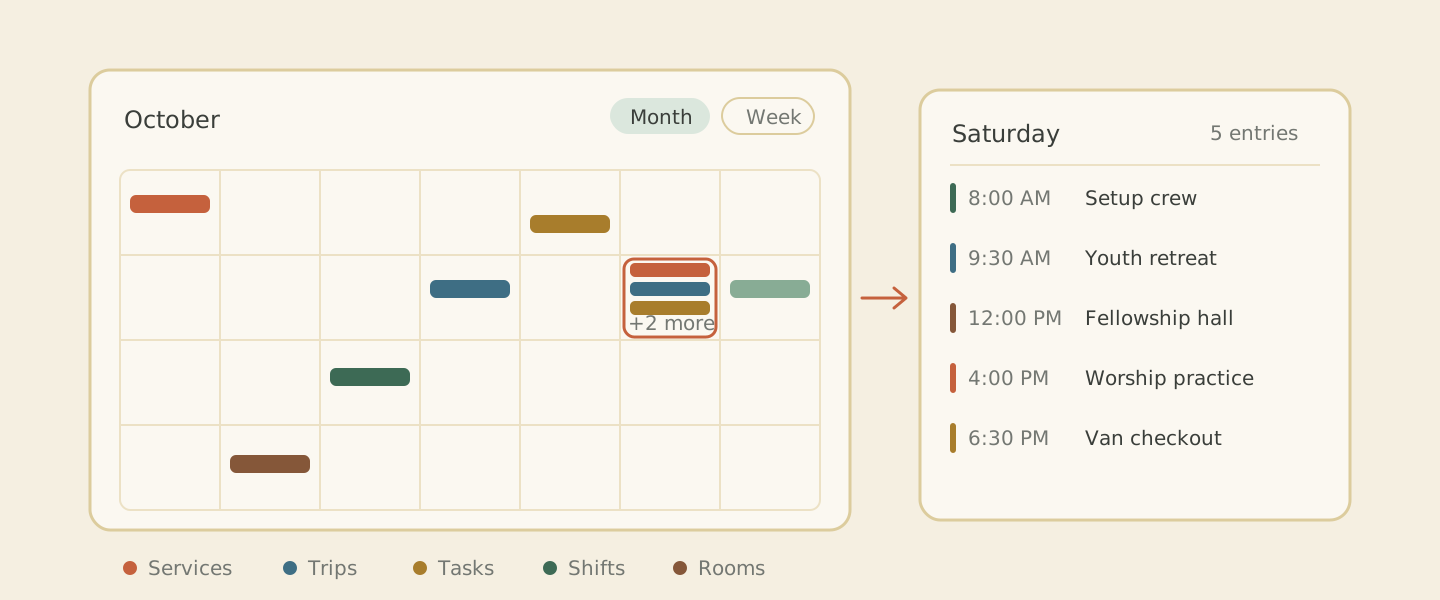 Entries from every corner of the church settle onto one month grid, and a packed Saturday opens into an agenda you can read top to bottom.
A good part of the schedule still lives only in your head, and the calendar has room for that too. You can put it on the grid yourself without leaving the calendar: a staff reminder, a room hold, a blackout date, a planning block, the ministry deadline you keep meaning to write down. Once the hall's big weekend is on the calendar, anyone who checks can see it, which spares you the phone call asking if the 14th is free.
An entry can happen once, run all day, or stretch across several days. It can also repeat on the patterns you actually use, so the standing Monday meeting goes on once and keeps turning up on its own, with no yearly re-typing.
Open any entry and you see its timing, its location, and its status. The ones that need people carry coverage cues, like "Coverage 3/5," counting the spots still open, and a booking that clashes with another raises a small flag right where you will notice it. That is how you catch the double booked Saturday on a Tuesday in April, back when there is still plenty of time to move something and nobody has packed a bag.
Some of these schedules need other people looking at them too. You can give someone permission to see the part they need while the rest of the calendar stays out of view. The retreat coordinator gets the retreat, and everything else stays exactly where it is.
The next time someone leans into your doorway to ask whether the fellowship hall is free on the 14th, you will have the answer before they finish the sentence. You will find Calendar under Services & Gatherings in your Cendance dashboard. Open it, look at what is coming, and start with the Saturday you are most worried about.


